AR aging report template in Excel
Reviewed in October 2026
An AR aging report lists every unpaid invoice and sorts it by how many days it is past due. The usual buckets are current, 1 to 30, 31 to 60, 61 to 90 and over 90 days. Download the Excel template and the days and buckets calculate from today's date.
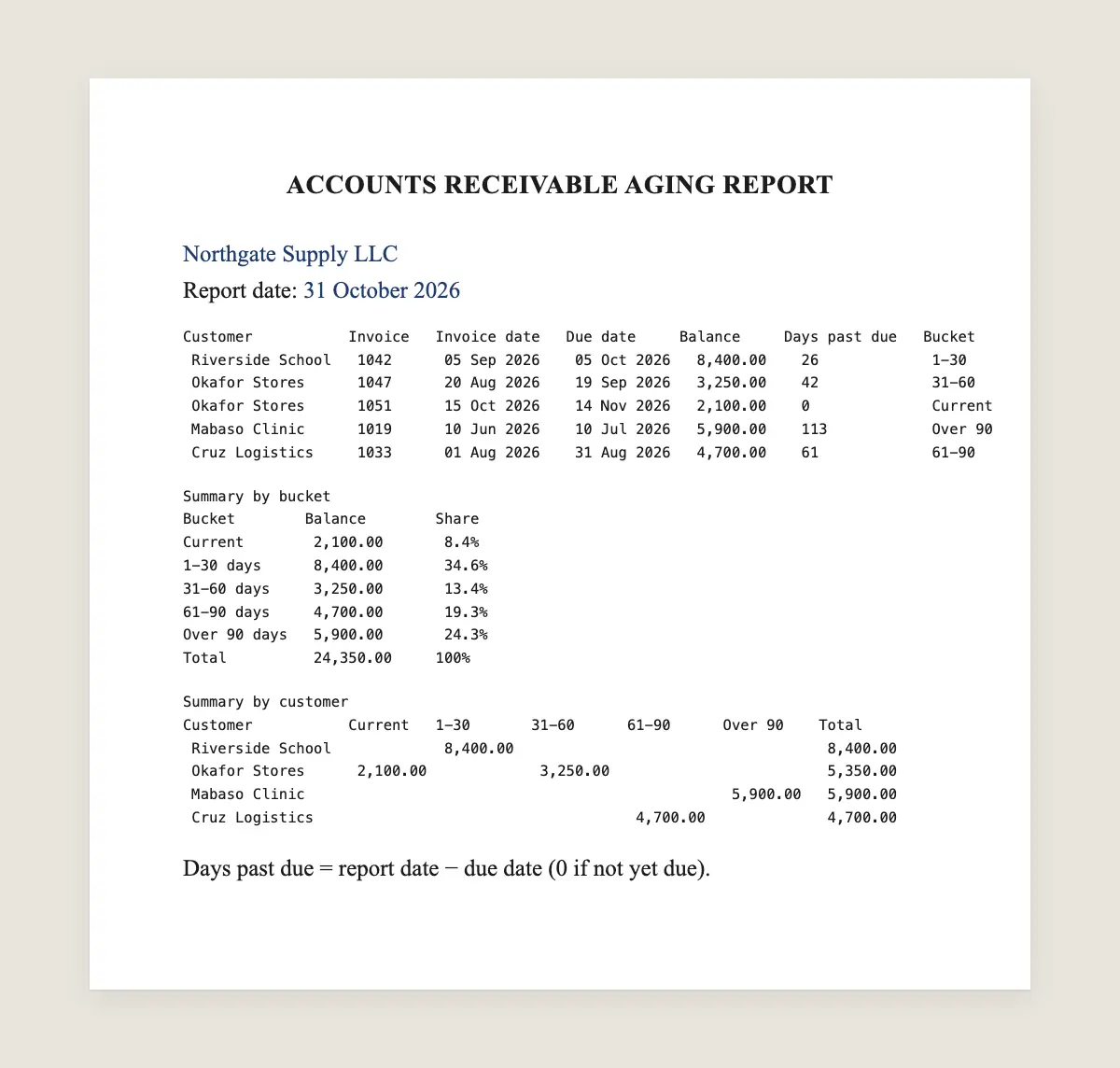
What it includes
- Report date
- Customer name
- Invoice number and invoice date
- Due date
- Amount and balance still open
- Days past due, calculated
- Aging bucket, calculated
- Totals per customer and per bucket
- Share of the total in each bucket
Accounts receivable aging report: full text
ACCOUNTS RECEIVABLE AGING REPORT
[Business name]
Report date: [31 October 2026]

Customer           Invoice   Invoice date   Due date     Balance     Days past due   Bucket
[Riverside School] [1042]    [05 Sep 2026]  [05 Oct 2026] [8,400.00]  [26]            1-30
[Okafor Stores]    [1047]    [20 Aug 2026]  [19 Sep 2026] [3,250.00]  [42]            31-60
[Okafor Stores]    [1051]    [15 Oct 2026]  [14 Nov 2026] [2,100.00]  [0]             Current
[Mabaso Clinic]    [1019]    [10 Jun 2026]  [10 Jul 2026] [5,900.00]  [113]           Over 90
[Cruz Logistics]   [1033]    [01 Aug 2026]  [31 Aug 2026] [4,700.00]  [61]            61-90

Summary by bucket
Bucket        Balance        Share
Current       [2,100.00]     [8.4%]
1-30 days     [8,400.00]     [34.6%]
31-60 days    [3,250.00]     [13.4%]
61-90 days    [4,700.00]     [19.3%]
Over 90 days  [5,900.00]     [24.3%]
Total         [24,350.00]    100%

Summary by customer
Customer           Current   1-30       31-60      61-90      Over 90    Total
[Riverside School]           [8,400.00]                                  [8,400.00]
[Okafor Stores]    [2,100.00]           [3,250.00]                       [5,350.00]
[Mabaso Clinic]                                               [5,900.00] [5,900.00]
[Cruz Logistics]                                   [4,700.00]            [4,700.00]

Days past due = report date − due date (0 if not yet due).
How to read the report
Read the summary by bucket first. It shows how much of your receivables is fresh and how much is getting old.
In the example, 24.3% of the money is over 90 days past due. That share is harder to collect each week. Start the follow-up there.
Then read the summary by customer. One customer with balances in three buckets usually needs a call or a payment agreement.
The formulas inside the Excel file
| Column | What it calculates | Formula in the template |
|---|---|---|
| Days past due | Days since the due date | =MAX(0, ReportDate − DueDate) |
| Bucket | The aging range of the invoice | IF chain on days past due: 0, 30, 60, 90 |
| Bucket total | Open balance in each range | SUMIFS on the bucket column |
| Share | Bucket total over the grand total | =BucketTotal / GrandTotal |
The report date cell starts with today's date. Change it to see the report as of a past month end.
What each bucket tells you to do
| Bucket | What it means | Usual next step |
|---|---|---|
| Current | Not due yet | A reminder a few days before the due date |
| 1-30 days | Just overdue, often forgotten | A friendly reminder and the payment link |
| 31-60 days | The customer is delaying | A firmer message and a statement of account |
| 61-90 days | The balance is at risk | A call and a payment agreement |
| Over 90 days | Hardest to recover | A final demand letter before other steps |
Common mistakes
- Aging from the invoice date. Age from the due date or every invoice looks late.
- Leaving paid invoices in the list. Clear them on the day the payment arrives.
- Ignoring partial payments. Use the balance still open, not the original amount.
- Running it once a quarter. A weekly report shows problems before they reach 90 days.
Aged debtors, debtors ageing and other names
The same report goes by different names around the world. The layout and the buckets stay the same.
| Name | Where you hear it |
|---|---|
| AR aging report | United States, the Philippines |
| Aged debtors report | United Kingdom, South Africa, Nigeria |
| Debtors ageing report | India, Kenya |
| Aged receivables | Most accounting software menus |
Accounting software can print the report for you. The template helps when invoices live in a spreadsheet, or when you want buckets your software does not offer.
How often to run the report
Run it every week if you bill many customers. Run it at least at each month end if you bill few.
Compare each report with the last one. Watch the share over 60 days. If it grows two weeks in a row, your reminders start too late or stop too soon.
Set up the template in five minutes
- Download the Excel file and delete the five example rows.
- Paste your open invoices: customer, invoice number, invoice date, due date and balance.
- Leave the report date as today, or type the month end you want to review.
- Type each customer's name once in the summary by customer.
- Sort the list by days past due, largest first, and start the follow-up from the top.
Keep one file per month end. Comparing two months shows whether old balances are shrinking or growing.
An aging report that stays current on its own
Upload this same file to Makatea and every customer gets a WhatsApp reminder by bucket. Each recorded payment moves the invoice out of the report.
Every Monday Makatea emails the summary with who to follow up first. Start free for 14 days with no card.
Free on Makatea: proforma invoice template · promissory note template · free invoice generator
Frequently asked questions
What is an AR aging report?
It is a list of unpaid invoices sorted by how many days each one is past due. It shows how old your receivables are.
What are the standard aging buckets?
Current, 1 to 30, 31 to 60, 61 to 90 and over 90 days. Some businesses add 91 to 120 and over 120.
Should I age from the invoice date or the due date?
The due date for collections. Accountants sometimes age from the invoice date for reporting, so state which one you use.
Is an aging report the same as aged debtors?
Yes. Aged debtors is the common name in the UK, India and South Africa.
Does the template work in Google Sheets?
Yes. The formulas work the same after you open the file in Google Sheets.
Do I need an account to download it?
No. The Excel file downloads directly with no sign-up.
What is the difference between an aging report and a statement of account?
The aging report is internal and covers every customer. A statement of account goes to one customer and lists their invoices and payments.
Does the template work in Google Sheets?
Yes. Open the Excel file in Google Sheets and the formulas keep working.
Can I add more buckets, such as over 120 days?
Yes. Add a line to the bucket formula and a row to the summary. The other formulas keep working.
Your recurring collections on autopilot
Makatea sends the reminders over WhatsApp and email, records every payment and tells you who to follow up with first.
14 days free · No card
Keep reading
Days sales outstanding: the DSO formula with an example
Days sales outstanding is the average number of days customers take to pay. See the DSO formula, a worked example, the Excel formula and how to lower it.
What is accounts receivable and how to manage it
Accounts receivable is money customers owe you for sales on credit. See examples, journal entries, an aging report, DSO and how to collect faster.
Statement of account template in Excel and Word
Download a free statement of account template in Excel or Word, no signup. The running balance and the amount due calculate as you type, ready to send.
Final demand letter template for unpaid invoices
Download a free final demand letter for unpaid invoices in Word, no signup. It states the amount, the deadline and the next step, with no threats.
Accounts receivable collections that run on their own
Automate accounts receivable collections. Makatea reminds on WhatsApp and email, records payments and ranks who to follow up first. 14 days free.
Proforma invoice template
Fill in a proforma invoice online and download it as PDF or as an image for WhatsApp. What it is, what it must show and how it differs from an invoice.
Promissory note: what it is and how to write one
What a promissory note is, what it must include and how to write one, with an example. Fill in a free promissory note online and print it to sign.